Third-party file management utility
The Files app is a powerful utility for managing and organizing files on your device. It allows users to easily access, move, delete, and share files all in one convenient location. With its intuitive interface and robust features, it has become a must-have for most users.
It is worth noting that this Files app, however, is a third-party file organizer app that makes it easy to navigate your phone directories, even those that are unavailable from the built-in version. It is an all-in-one tool that combs through all your content, from your Gallery or Samsung Music, for Samsung users.
Make file navigation easier
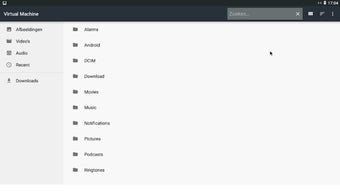
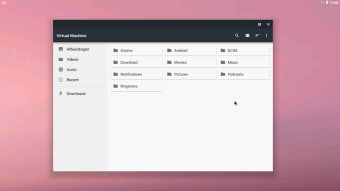
One of the key features of the Files app is its ability to categorize files into different sections such as Downloads, Images, Videos, Documents, and more. This makes it easy for users to find and manage their files without having to navigate through multiple folders on their device. In addition, the app also offers a search function that allows users to quickly locate specific files by typing in keywords or phrases.
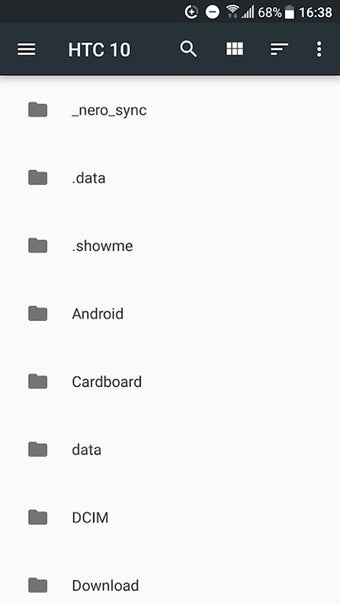
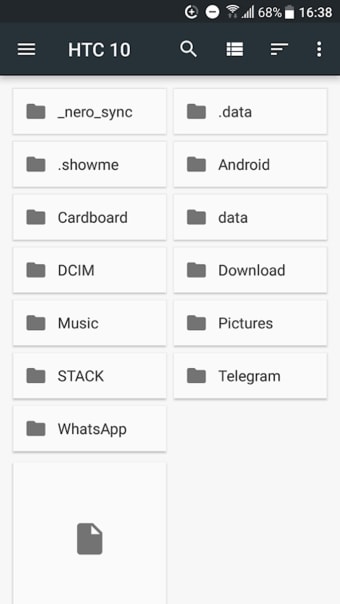
The interface of the Files app is clean, modern, and user-friendly. It utilizes a simple color scheme with white as the primary background color and colorful icons for different file types. This makes it easy to navigate and visually pleasing. Users can access all of the app's features from the main screen, which consists of a navigation bar at the bottom and a search bar at the top.
Aside from its core functions, the Files app also offers additional features such as file compression, cloud storage integration, and remote access. This allows users to free up space on their device by compressing large files, open files from their cloud storage accounts, and even access files on their device remotely. Additionally, the app also has a built-in media player for audio and video files, which eliminates the need for additional third-party apps.
Use with caution
While the Files app offers a great user experience and many useful features, there have been several security concerns reported. Some concerns involve the app's data collection practices. It appears that the app collects unnecessary data such as device information, user location data, and usage statistics without explicit user consent. This collection and potential misuse of personal data could potentially jeopardize user privacy.
Users may encounter occasional glitches and performance issues, leading to slowdowns and frustration. The app's simplicity, while appealing to some, can be limiting for those seeking advanced features or more robust organizational options. Additionally, the integration with cloud services may not always be seamless, potentially causing synchronization problems. Addressing these cons could elevate the overall user experience and make the Files app more accommodating to diverse user needs.
A reliable tool with minor setbacks
In conclusion, the Files app is a powerful tool for managing files on your device. Its intuitive interface and robust features make it a must-have for many users. However, it is important to be aware of its potential security and compatibility issues and take necessary precautions. With regular updates and improvements, the Files app continues to be a top choice for file management on most devices.